Free on iPhone and AndroidFree on iPhone, Android and your browser
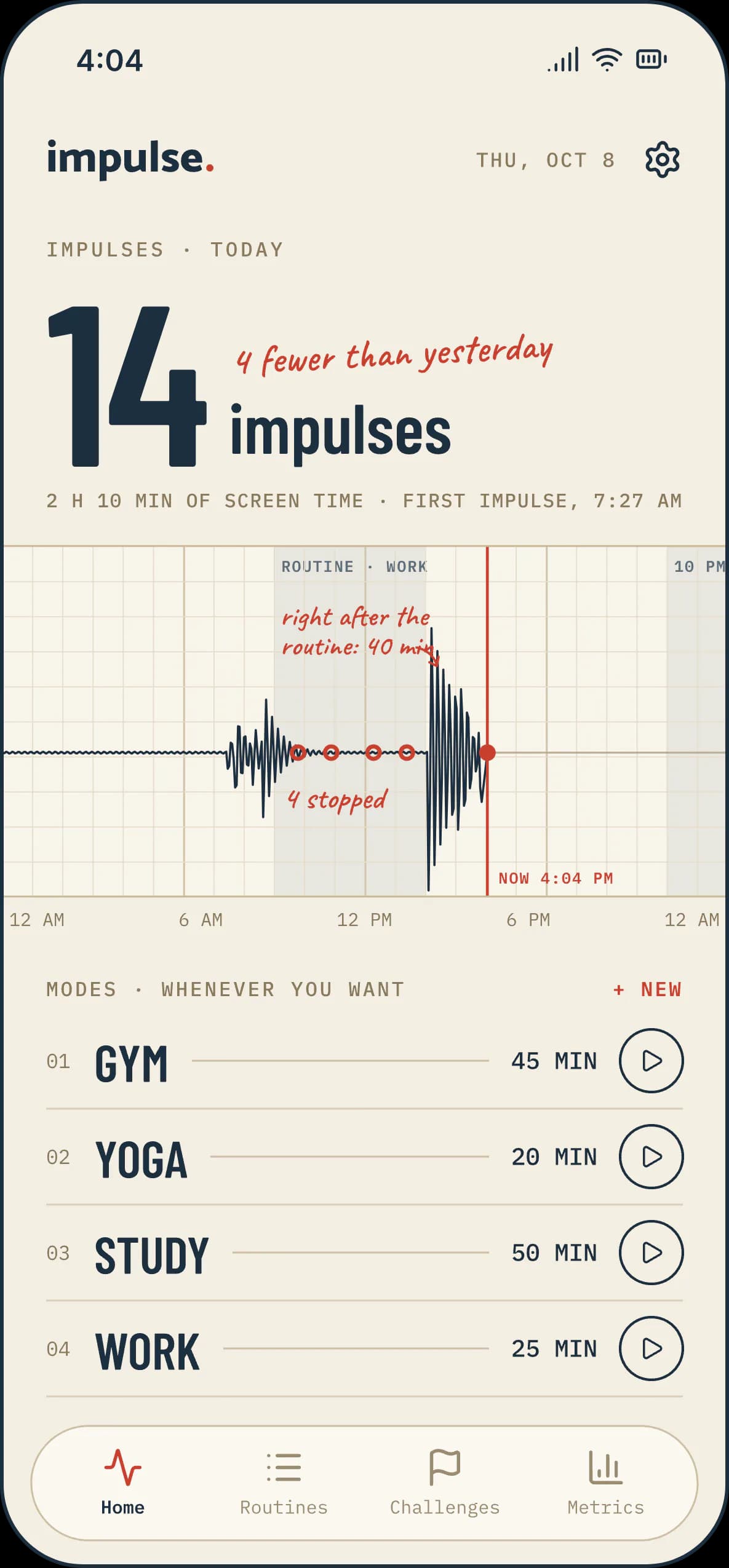
Every time you pick up your phone is an impulse.
Impulse counts them, curbs them and helps you have fewer. It blocks the apps and websites that steal your focus, at the times you choose and with the difficulty you decide.
No account · No card · Your usage stays on your phone
The problem
Your attention is being sold.
Every feed is a slot machine. The scroll never ends because it was never meant to. You’re not fighting a habit: you’re fighting a whole industry paid to keep you there.
- phone checks a day
- 96×
- phone checks a day
- a day lost to apps
- 4+ h
- a day lost to apps
Why we built this
We don’t think all screen time is bad. We think the bad kind is unconscious.
Impulse helps you be intentional. Not through guilt or rules, but by putting a pause between the urge and the reach: control over the impulse, not the dopamine.
How it works
Five ways to curb an impulse.
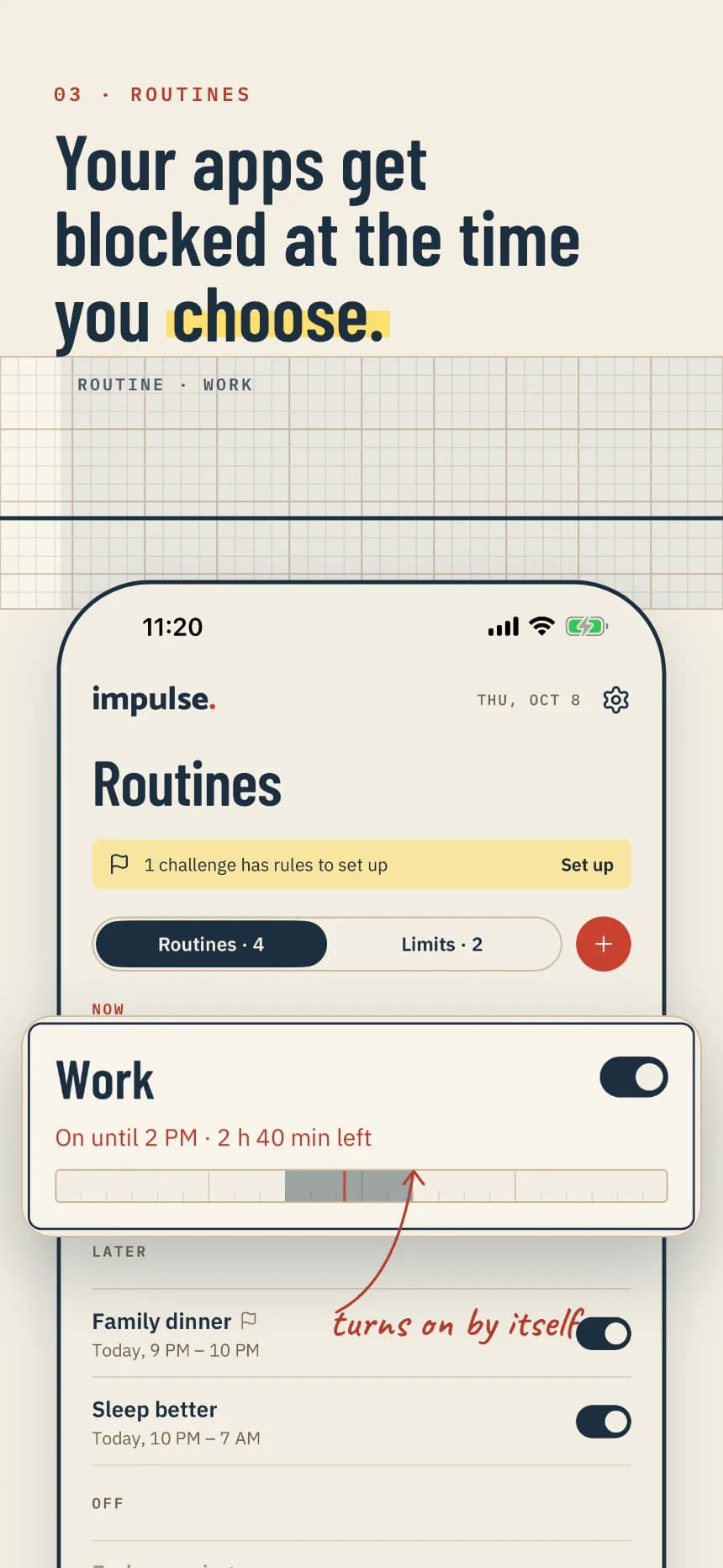
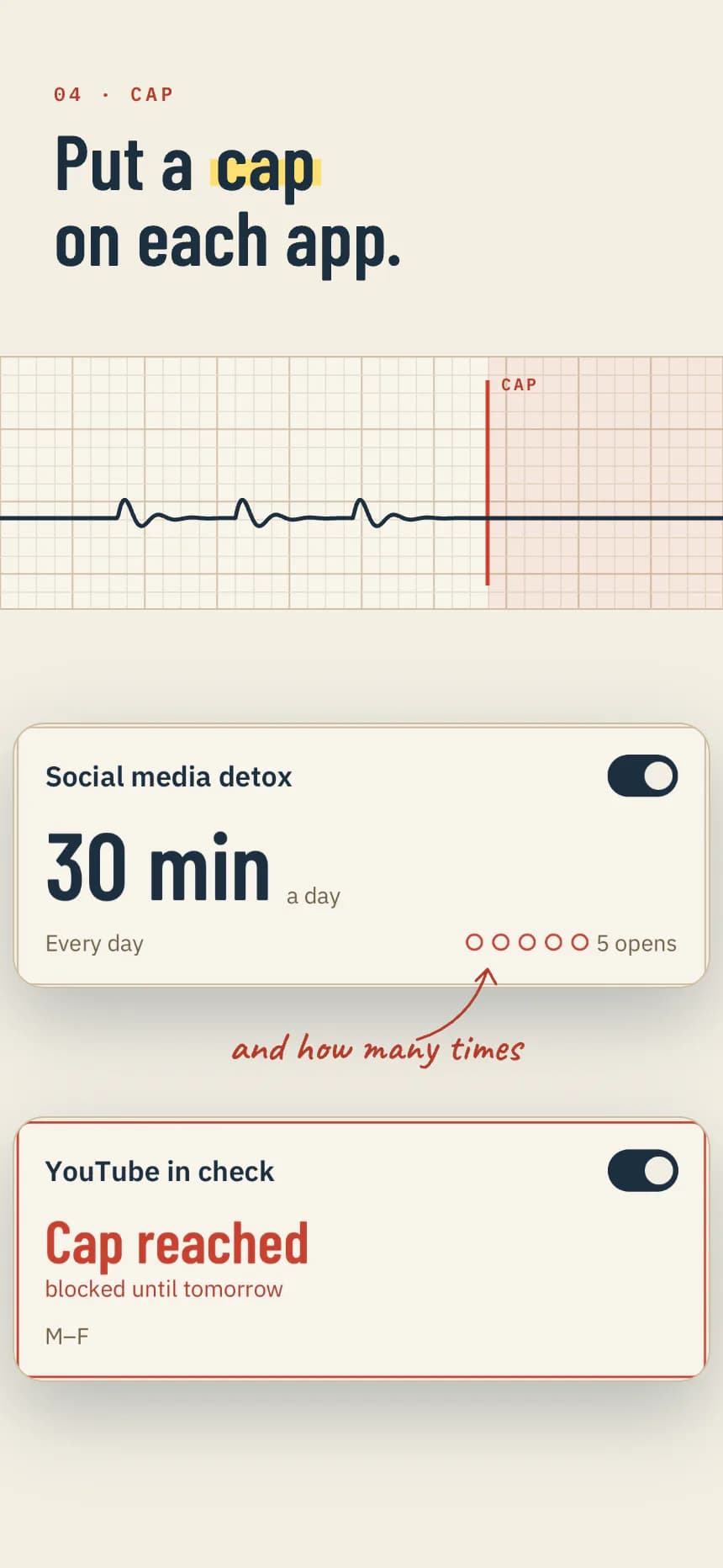
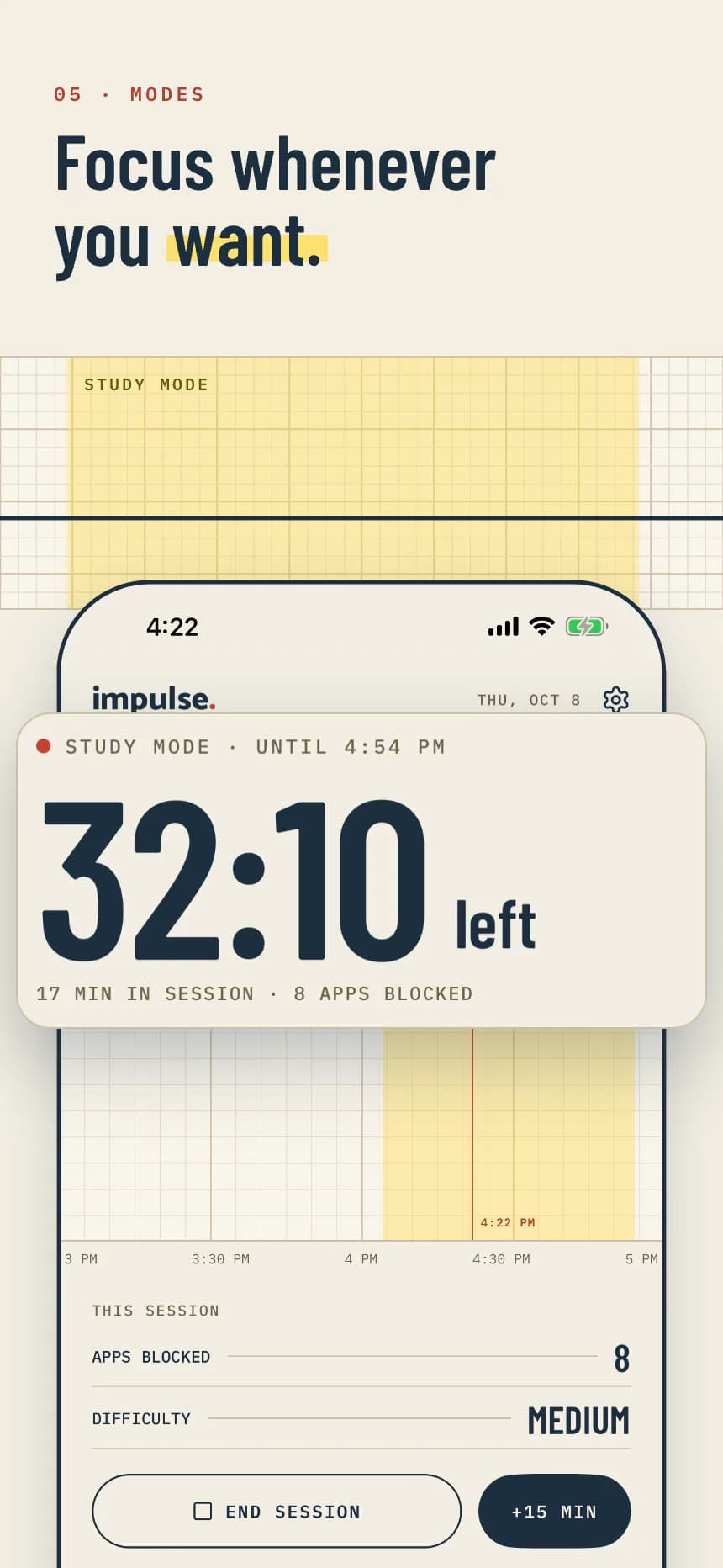
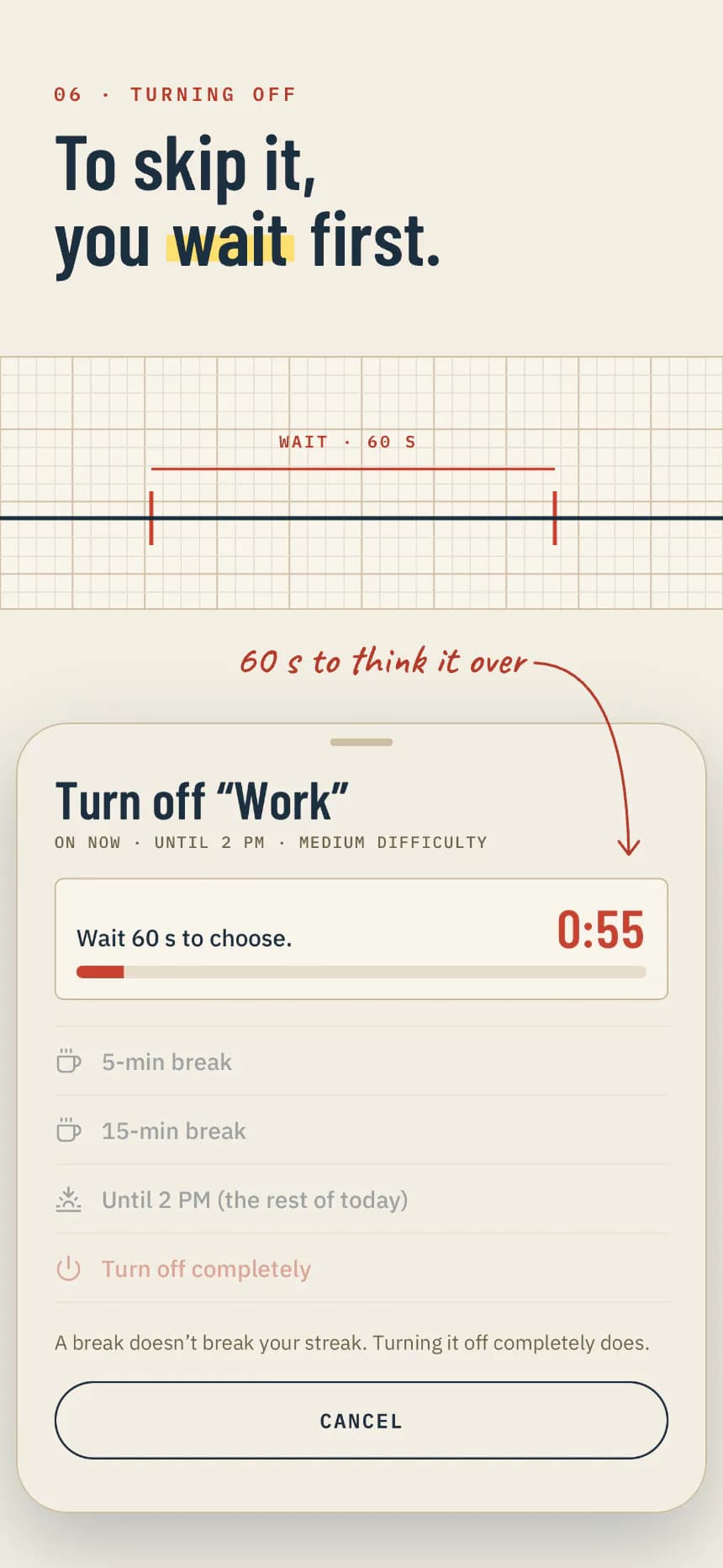
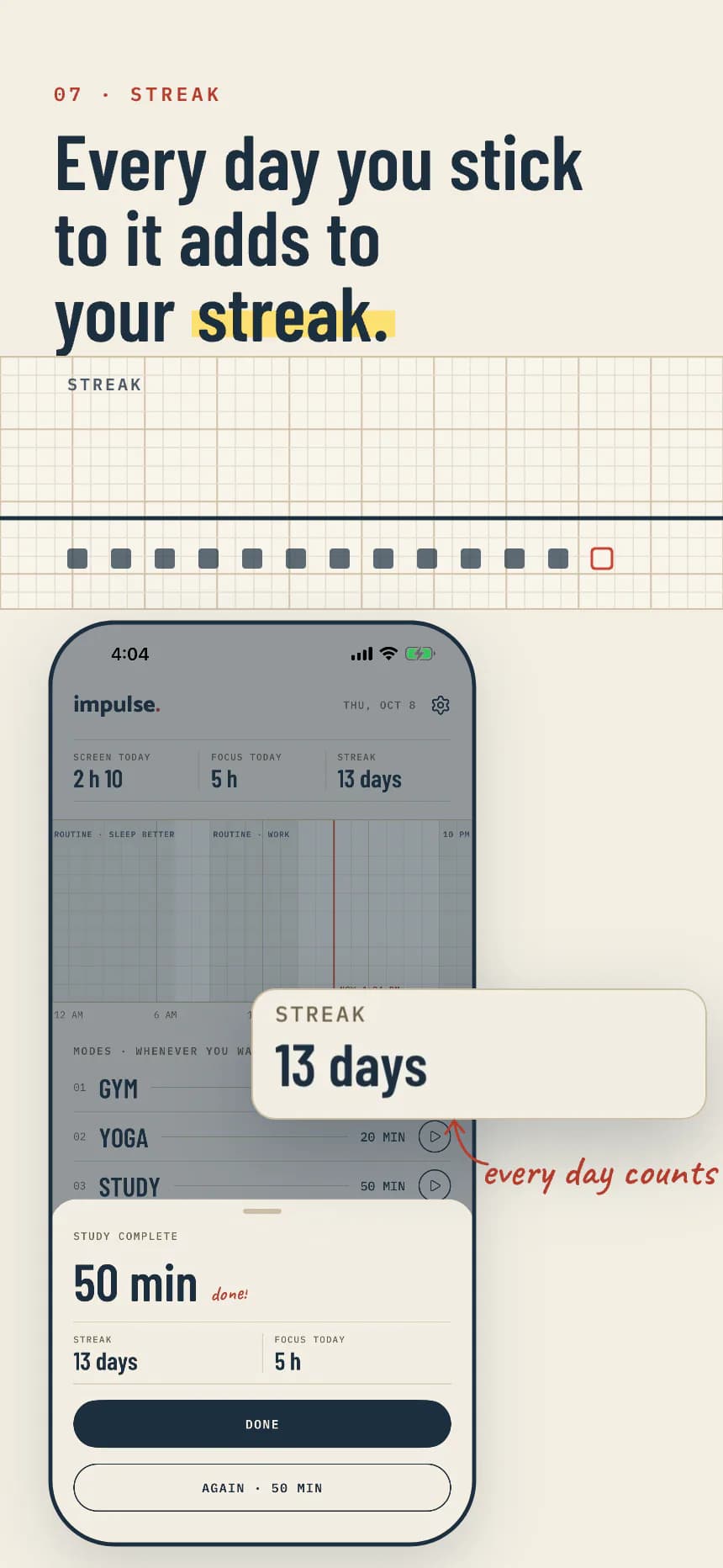
The same screens as in the app · iPhone captures
Difficulty
You choose how hard it is to turn off.
Every routine and every limit has its own difficulty. The more it costs to turn it off early, the fewer impulses make it into the app.
- 01 · Basic
Turn it off whenever you want.
One tap and a second to think about it. Enough to break the automatic reach.
- 02 · Medium
First you wait 60 seconds.
The urge usually passes before the countdown does. If not, you can ask for 5 or 15 minutes.
- 03 · Hard
You need a code.
It goes to your trusted person’s email, not yours. To turn it off, you have to ask them.
- 04 · NFC card
Only your card turns it off.
Tap your phone on an NFC card you keep in another room. The off-switch lives far from the temptation.
Desktop
Most blockers stop at your phone. Ours doesn’t.
Distraction just hops to the laptop. So Impulse is also a Chrome and Safari extension, with its own blocker, that works without your phone in front of you.
- Its own blocker on the desktop.Set it up on the computer; no phone required.
- Single tab.You stay on the tab you’re on and everything else goes quiet.
- Unlock the computer with your phone.One NFC tap ends the desktop block.
- And soon, a native macOS app.With the same bridge to your phone.
Challenges
Challenges with others, without showing your apps.
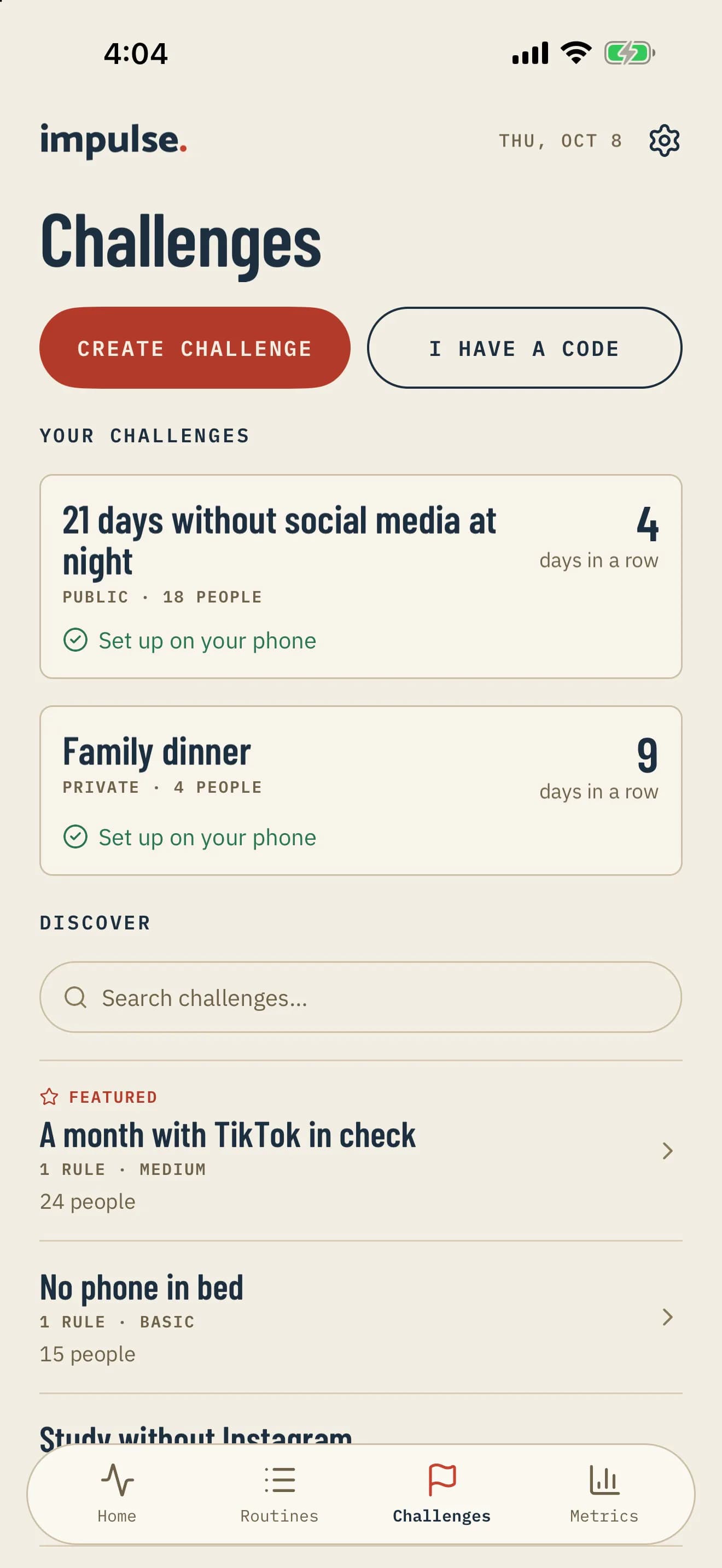
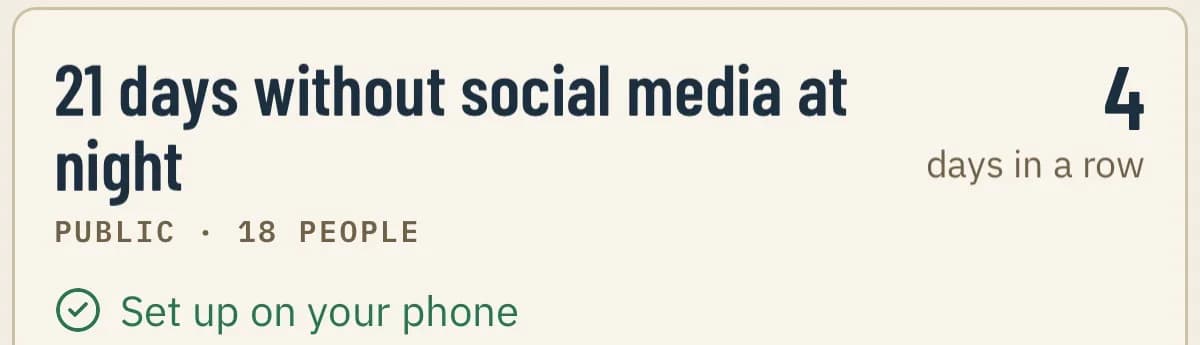
Join a public challenge or start one with your people. Everyone keeps the same rules on their own phone, and the leaderboard shows streaks and days kept. Never which apps you use or for how long.
- Public or private.Public ones are in Discover; private ones take a code or a link.
- Streaks and leaderboard.Days kept over the last 30 days, visible to the whole challenge.
- Leave whenever you want.And if something shouldn’t be there, report it or block whoever created it.
Reviews
What people who use it say.
«I was spending 5+ hours a day on TikTok. Two weeks with Impulse and I’m down to 45 minutes.»
Carlos M. · App Store «I love that it’s not preachy. It doesn’t guilt-trip you. It just… blocks stuff.»
Ana P. · App Store «I tried 4 other blockers. This is the only one you can’t switch off mid-session.»
Emma T. · Chrome Web Store
Is Impulse free?
Yes. Impulse is free and has no in-app purchases. You start with no account and no card; you only need an account to create or join a challenge.
How is Impulse different from other focus apps?
Three things. It works on both your phone and your browser, so distraction can’t just hop to your laptop. It has difficulty levels you genuinely can’t skip in a weak moment, all the way up to an NFC card. And it never lectures you: it blocks what you choose, when you choose, then gets out of the way.
How does Impulse block apps and websites on iPhone?
Through Apple’s Screen Time, the same secure framework Apple built for this. You choose what to block and turn it on with a routine at set times, with a time or opening limit, or right away with a mode. On the computer it runs as a Chrome and Safari extension.
What if I have a real emergency?
Impulse is strict, not cruel. There is always a way to turn a rule off, but it costs what you decided when you created it: a wait, a code or your card. And rules turn back on by themselves, so one exception doesn’t quietly become a relapse.
Is my data private?
What you do in your apps stays on your phone: on iPhone, Apple’s Screen Time doesn’t let it leave. We don’t sell your data or build advertising profiles. We use statistical analytics about which Impulse screens are opened, never about which apps you use. It’s all in the Privacy Policy.
Does it work on Android and on my computer?
Yes. Impulse runs on iPhone and Android, plus Chrome and Safari on the desktop. The native macOS app is on the way.
Another question? Write to hello@impulsecontrolapp.com and a person will reply.
Curb your impulses.
Free on iPhone, Android and your browser. Start in under a minute, no account needed.